
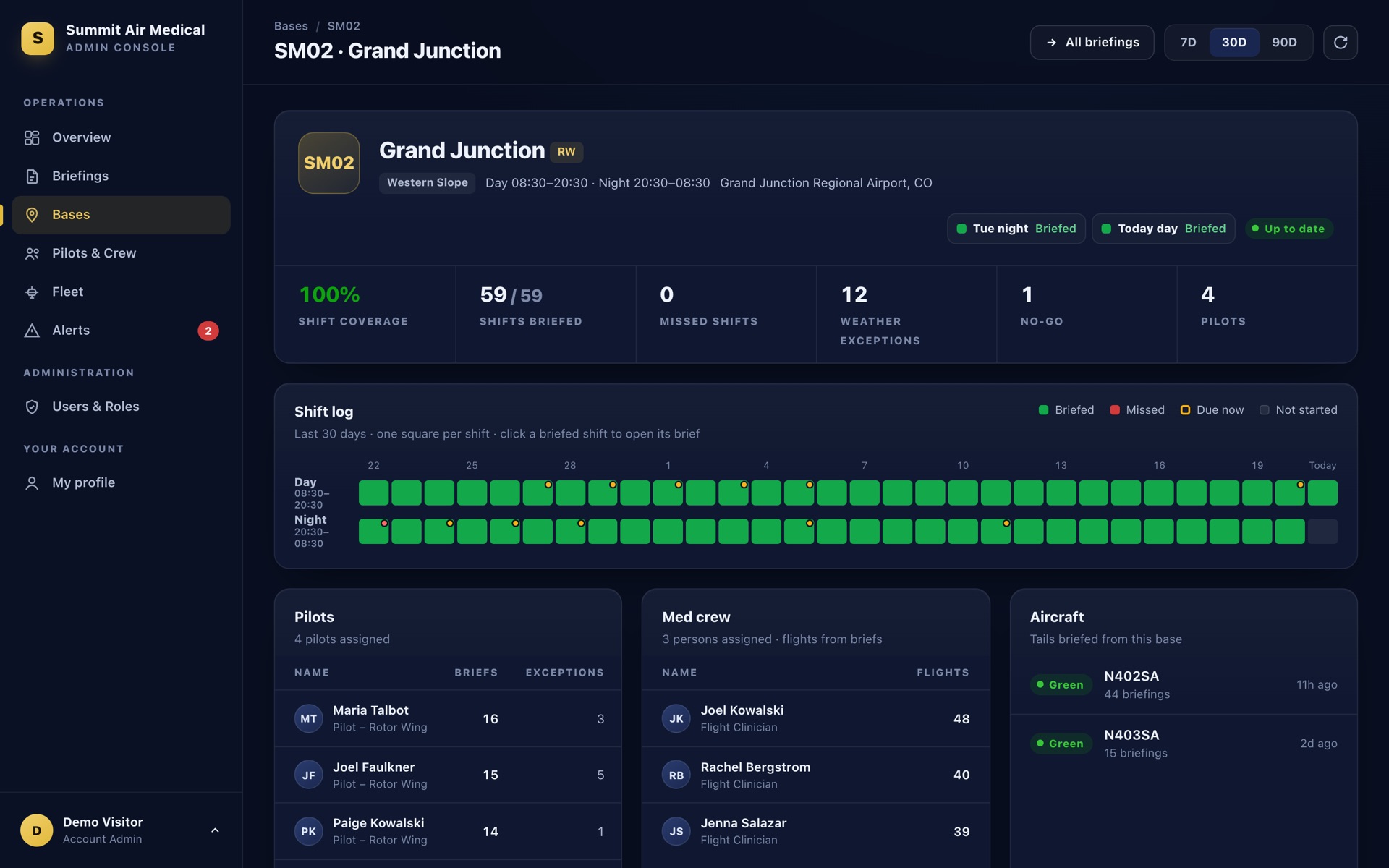
Shift log for every base
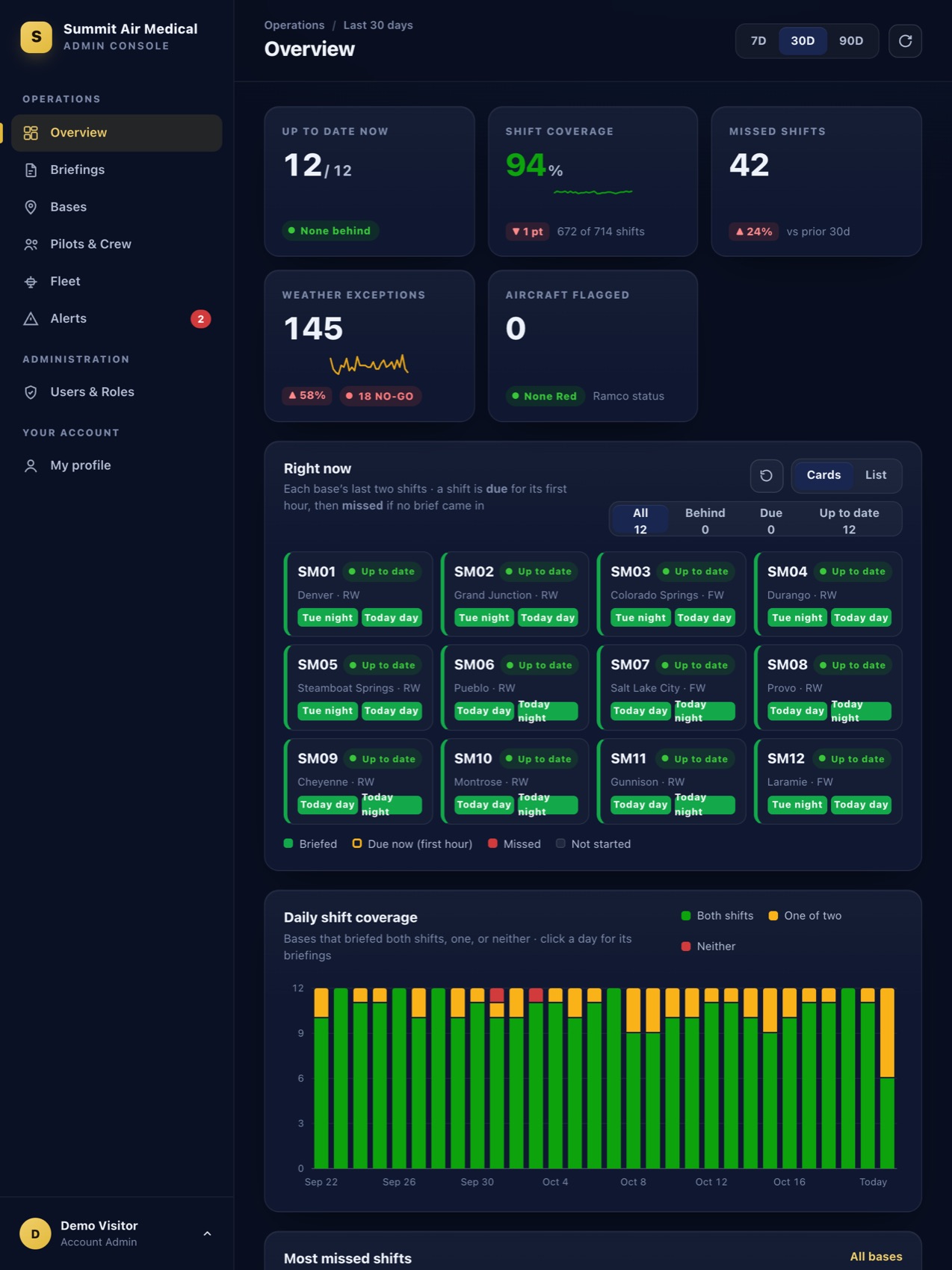
Day and night, every day of the period. Click any briefed shift to open its brief.
One standard pre-duty brief for every pilot, built on official FAA and National Weather Service data. A recorded handoff at every shift change. And a live view that tells your leaders, in seconds, which bases are up to date and which are behind.
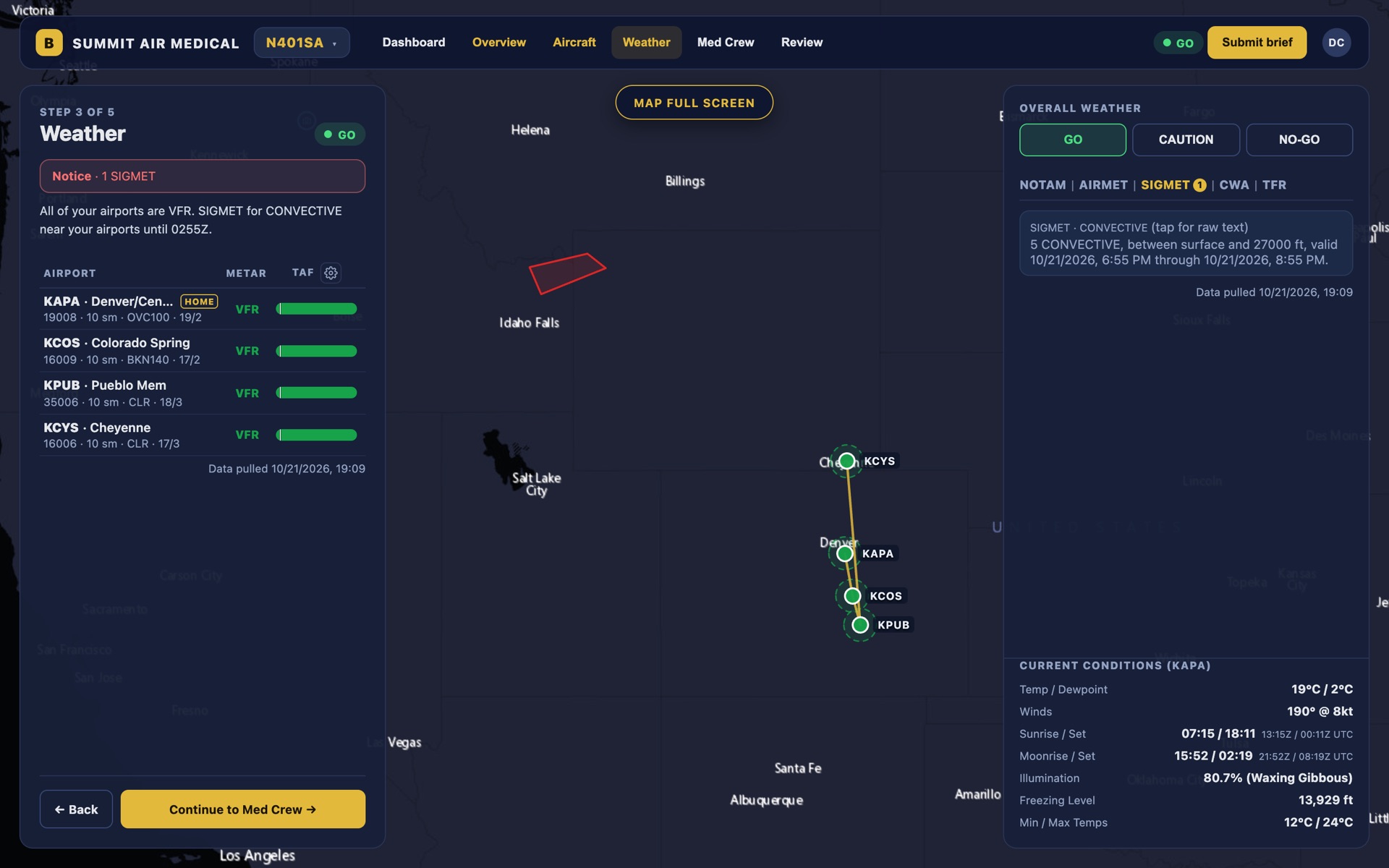
Weather, hazards, the aircraft and the crew in one guided brief that pilots actually want to use.
Know right now whether each base briefed its day and night shift, and drill into any brief in one click.
The same five steps at every base, every shift. Nothing to remember, nothing skipped, and everything is saved as they go.
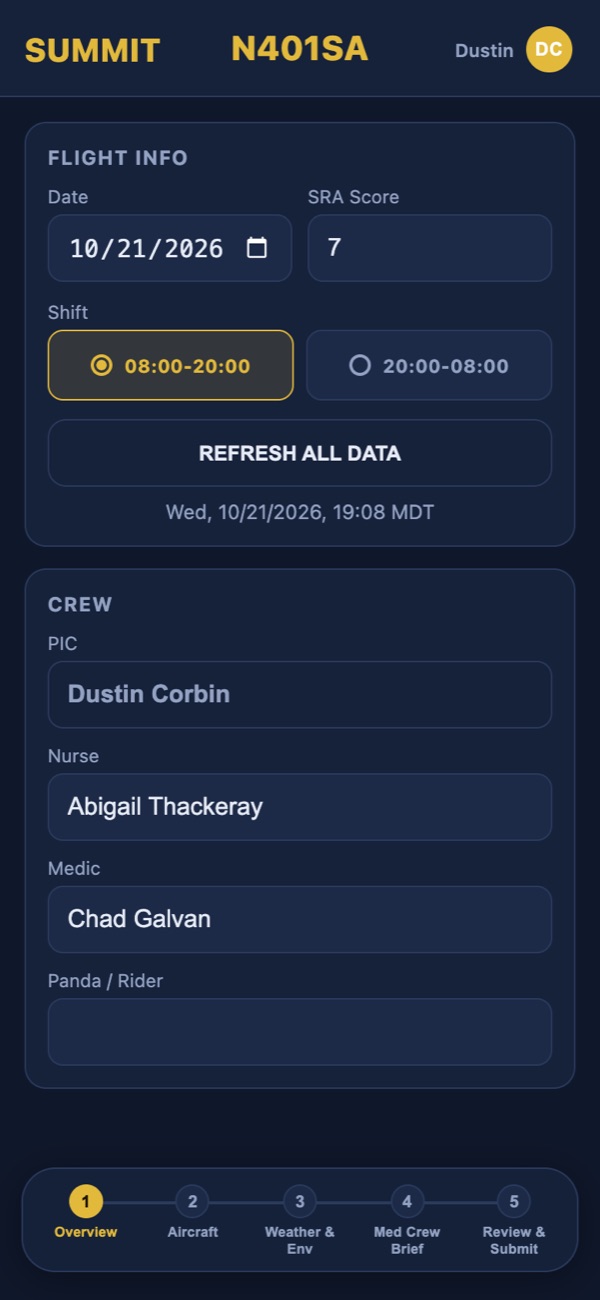
Date, shift, risk score and today's crew, with names suggested from your roster.
ACTT, fuel, maintenance due and the last pilot's notes, carried over automatically by tail number.
METARs and TAFs for home and nearby airports, SIGMETs, AIRMETs, CWAs, NOTAMs and TFRs, plus an overall GO, CAUTION or NO-GO call.
A shared checklist and safety topic, with the med crew's acknowledgment captured right on the device.
One last look, then it's on record: time-stamped, tied to the pilot, aircraft, base and shift, and exportable as a one-page PDF.
Every base runs a day and a night shift, and each needs one brief. The Admin Console tracks exactly that, so you see who is current, who is due and who is behind, instead of counting reports.
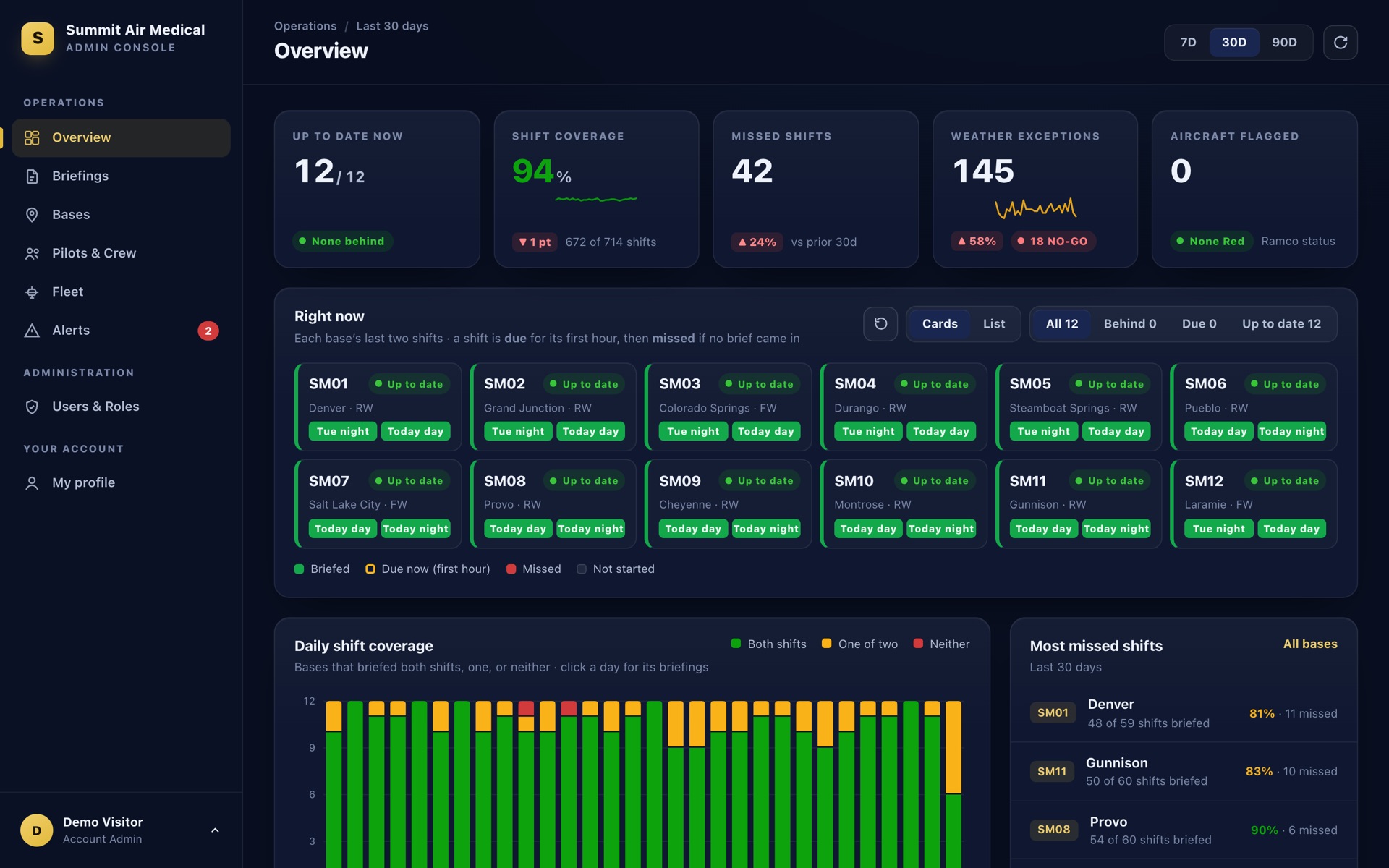
Day and night, every day of the period. Click any briefed shift to open its brief.
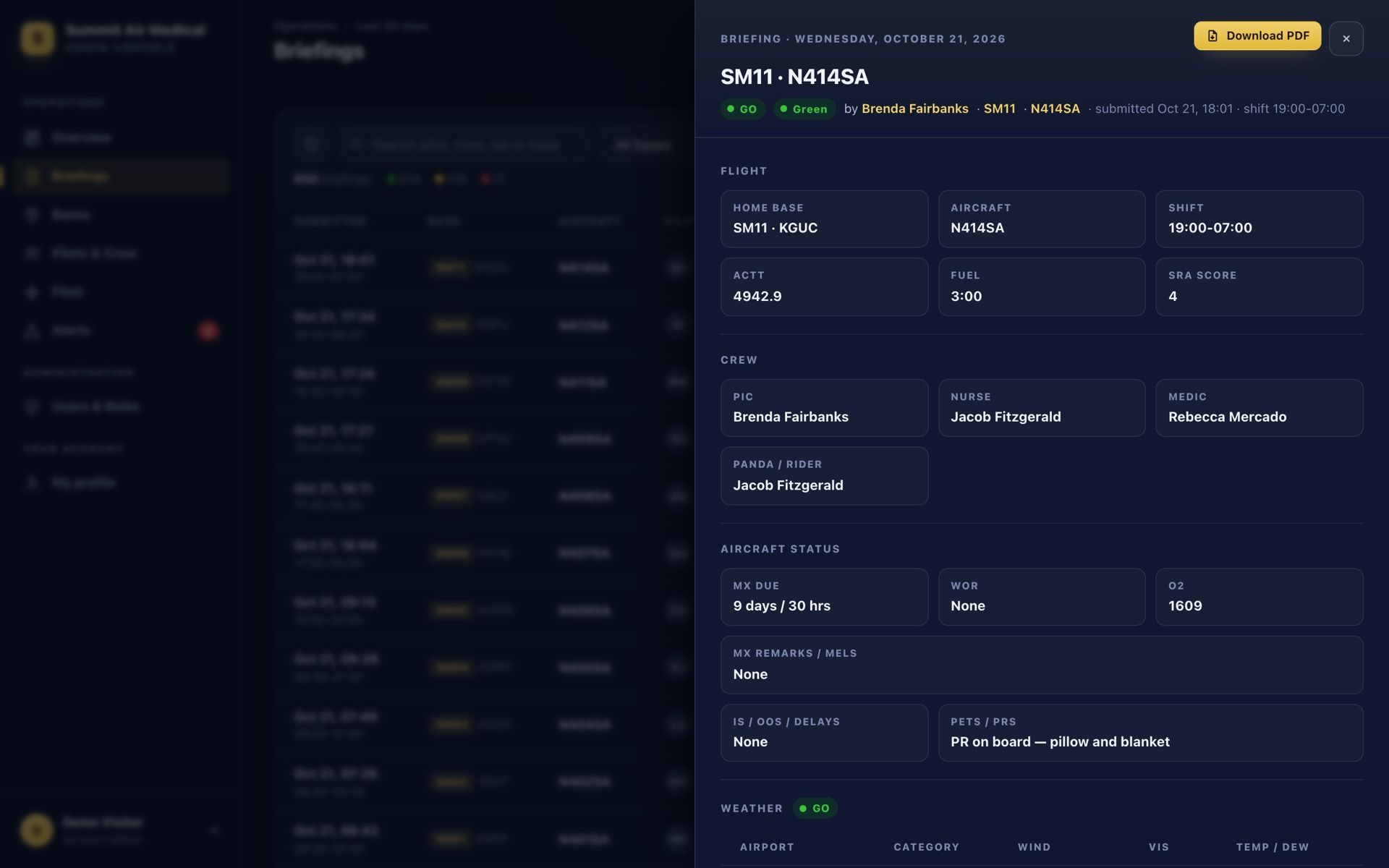
Flight, crew, aircraft status, weather, hazards and the med crew's acknowledgment, with one-click PDF.
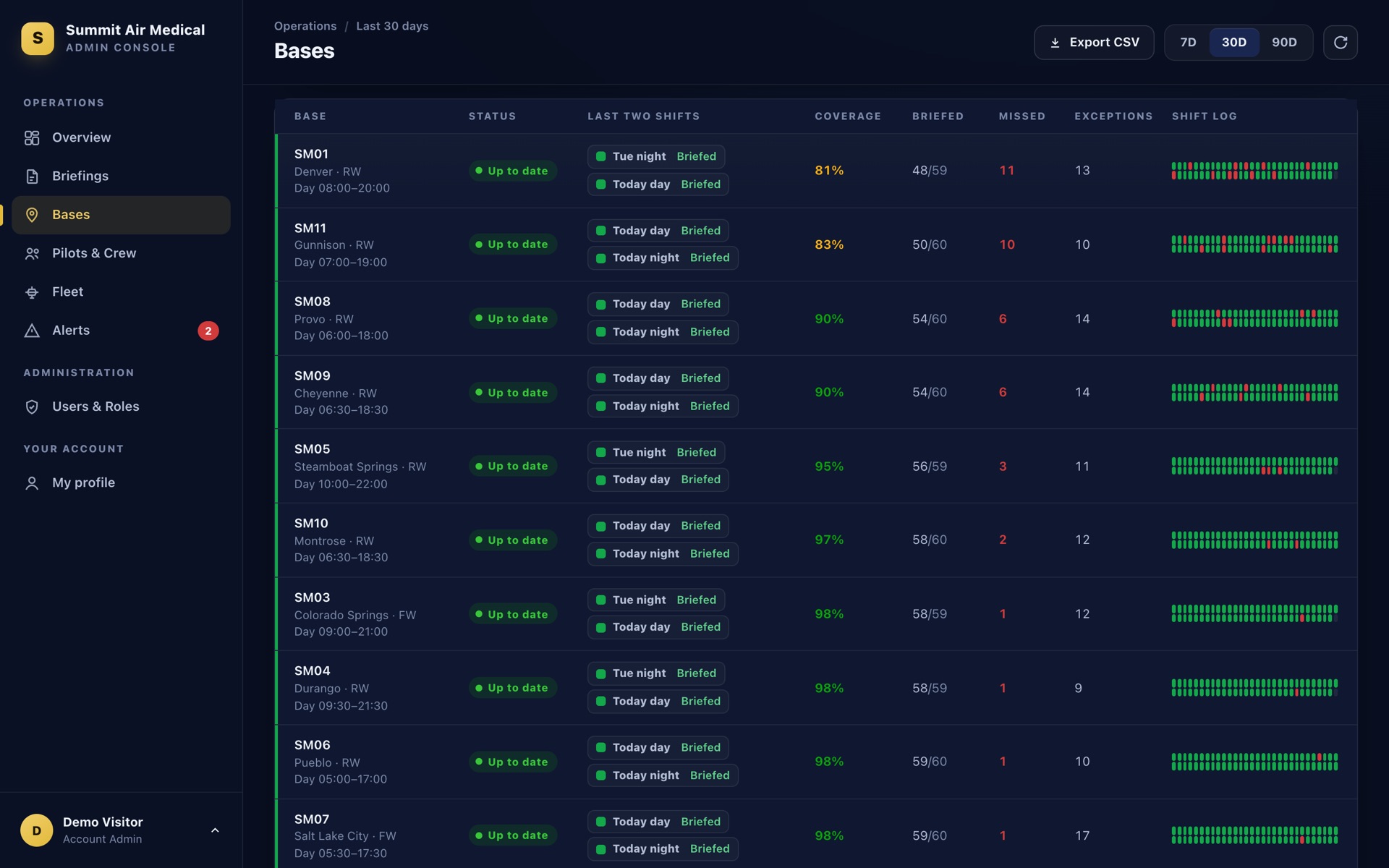
Sort by any column, filter to what matters, and BRIEFED remembers your setup on every device.
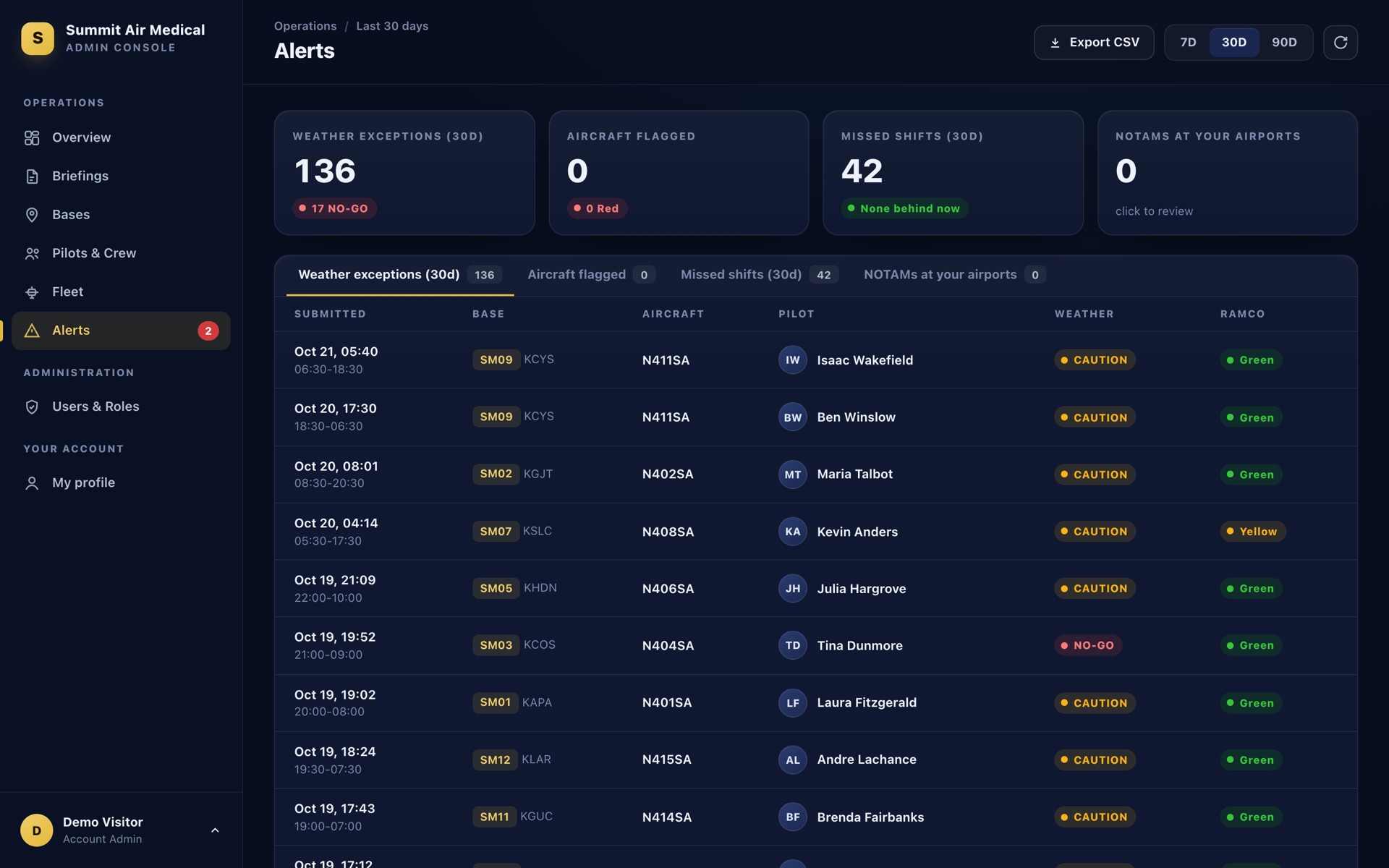
NO-GO and CAUTION calls, flagged aircraft, missed shifts and NOTAMs at your airports.
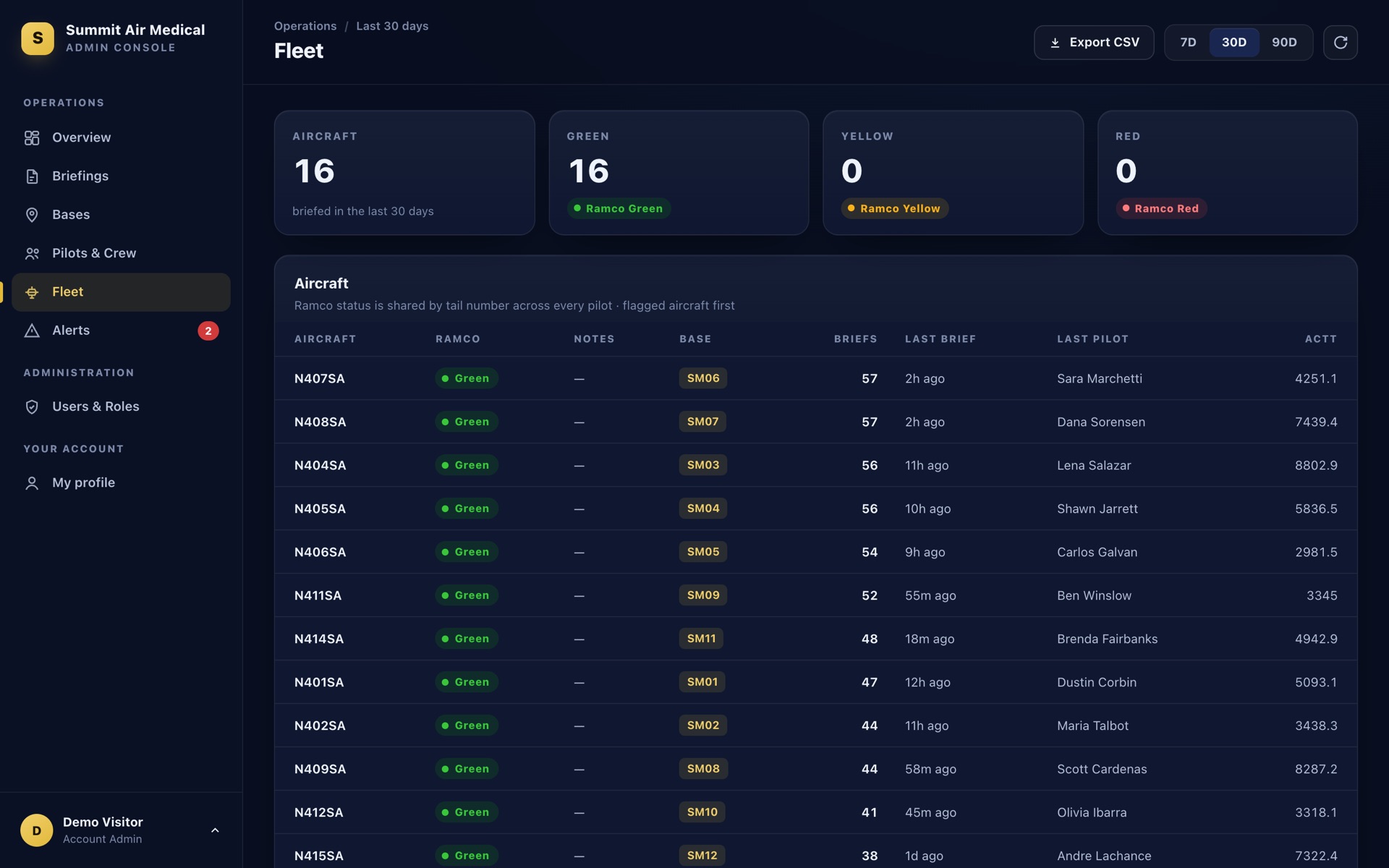
Ramco status, notes, ACTT and the last brief for every tail, with a history per aircraft.
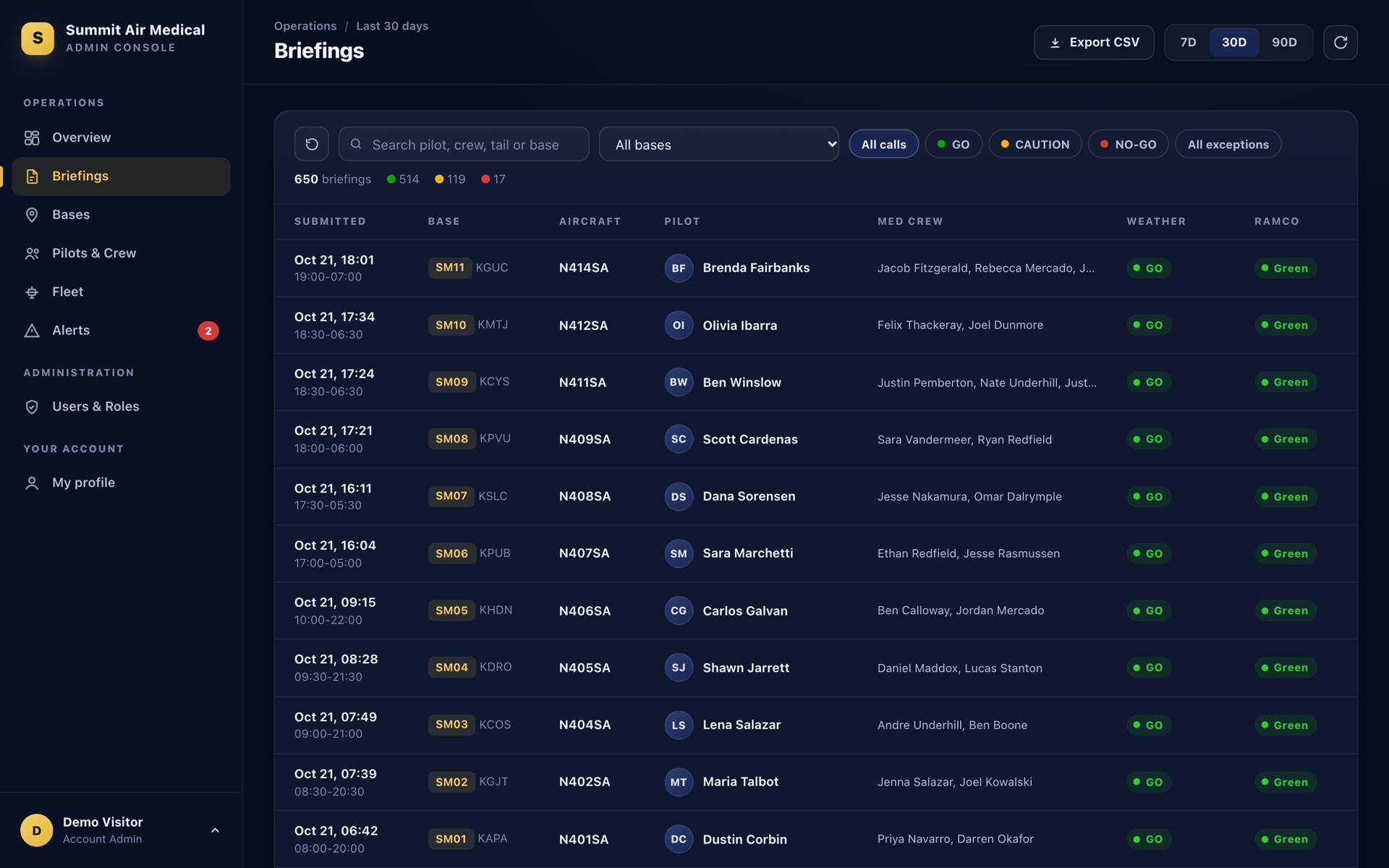
Every brief searchable by pilot, crew, tail or base, and exportable to CSV for your safety reviews.
BRIEFED installs from the browser in seconds. No app store, no IT ticket, and every screen is laid out for the device it's on.
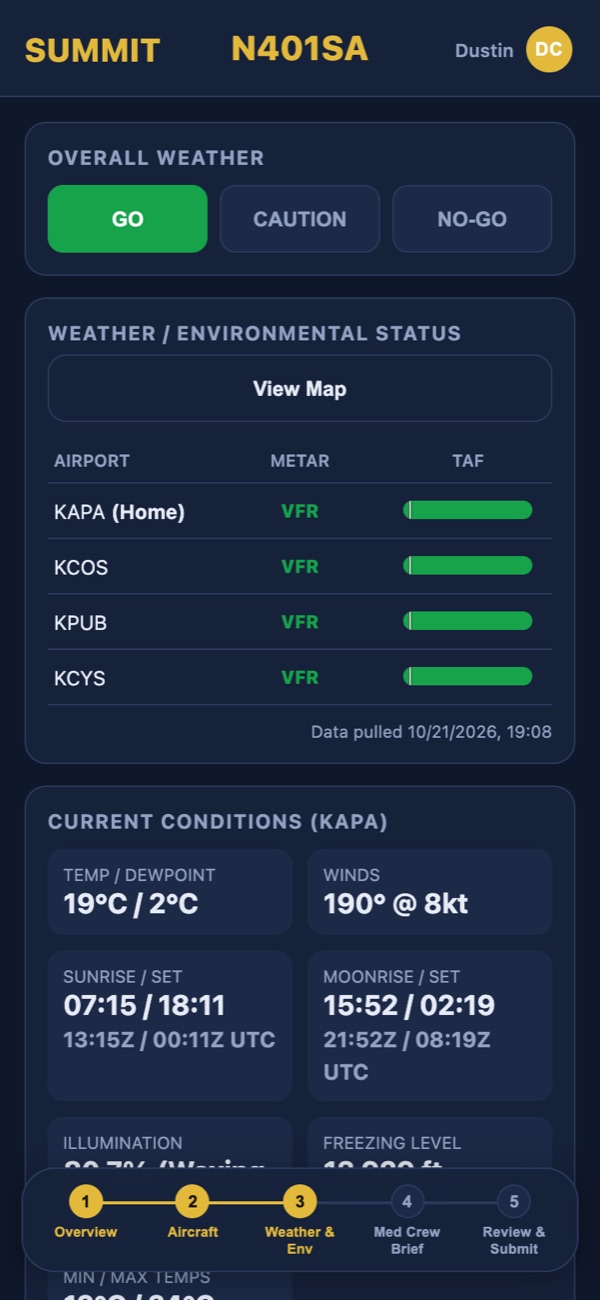
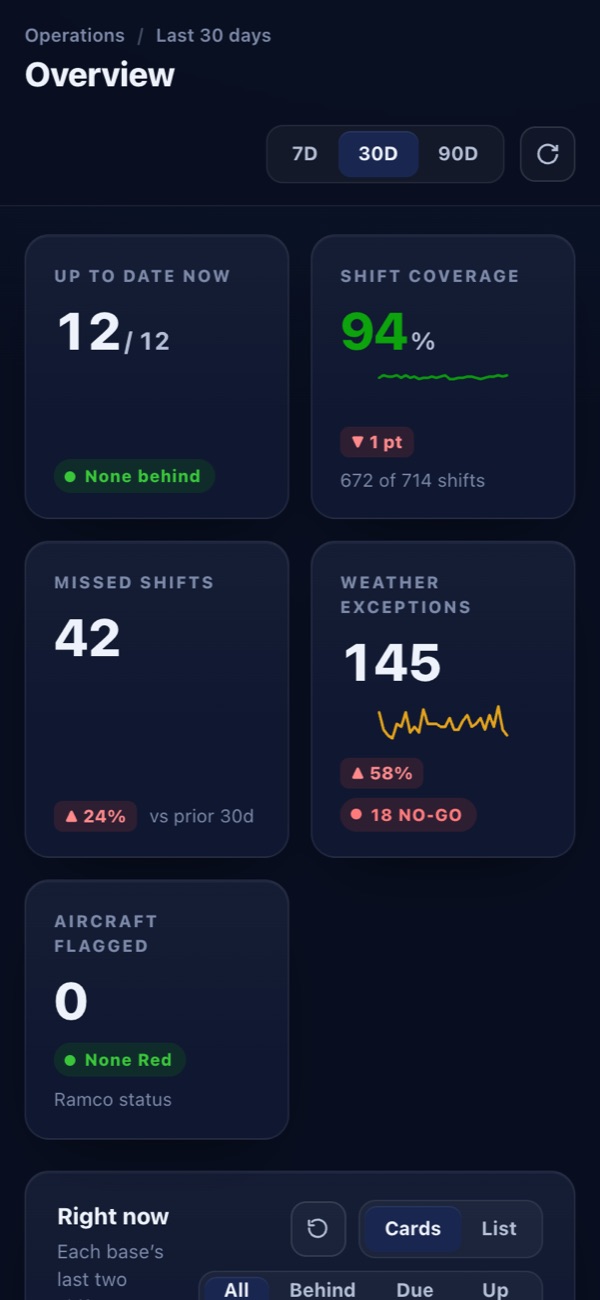
Pilots brief from anywhere. Leaders check the board from the parking lot.
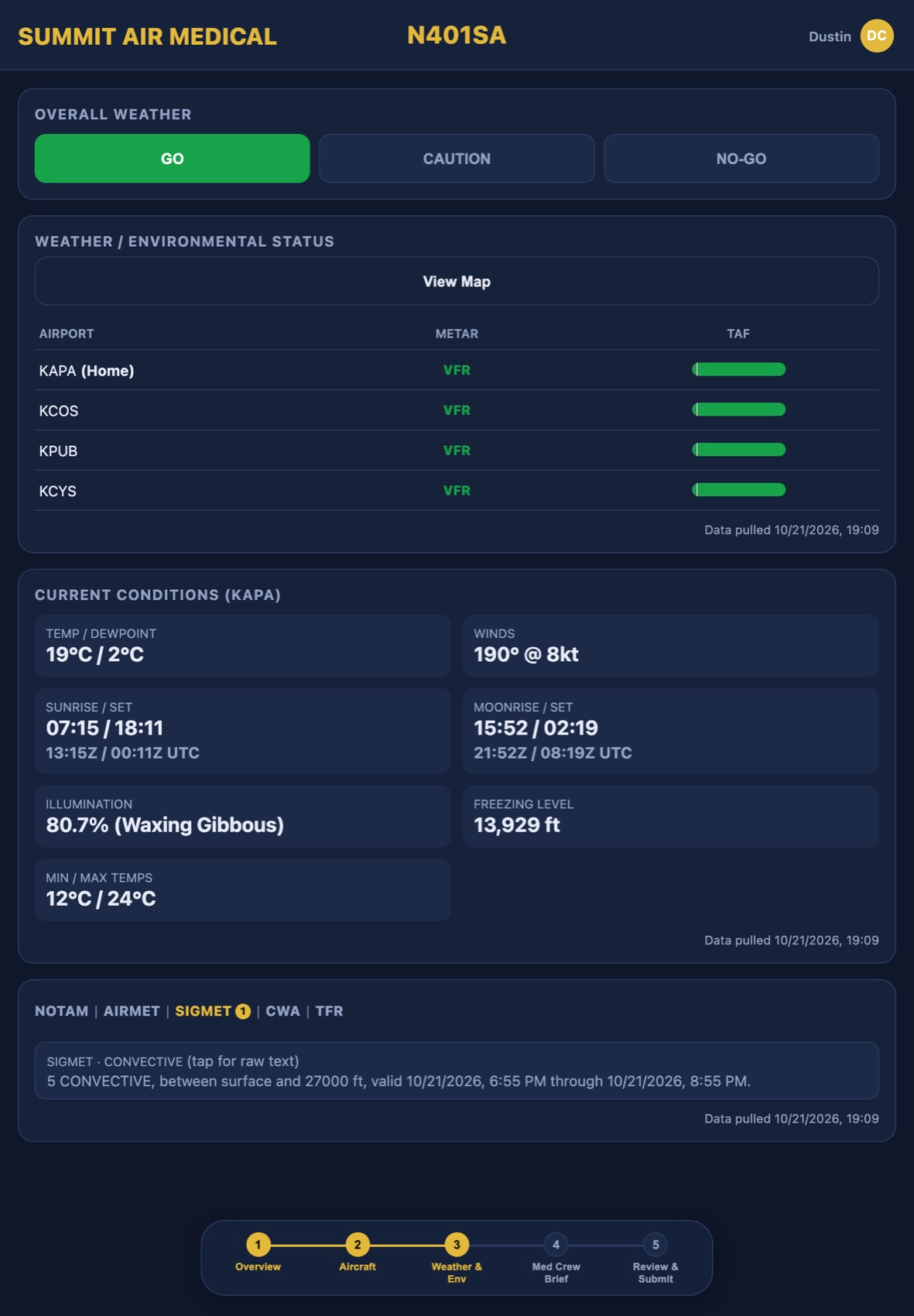
Perfect for the shared base iPad: each pilot signs in once, then uses a 4-digit PIN.
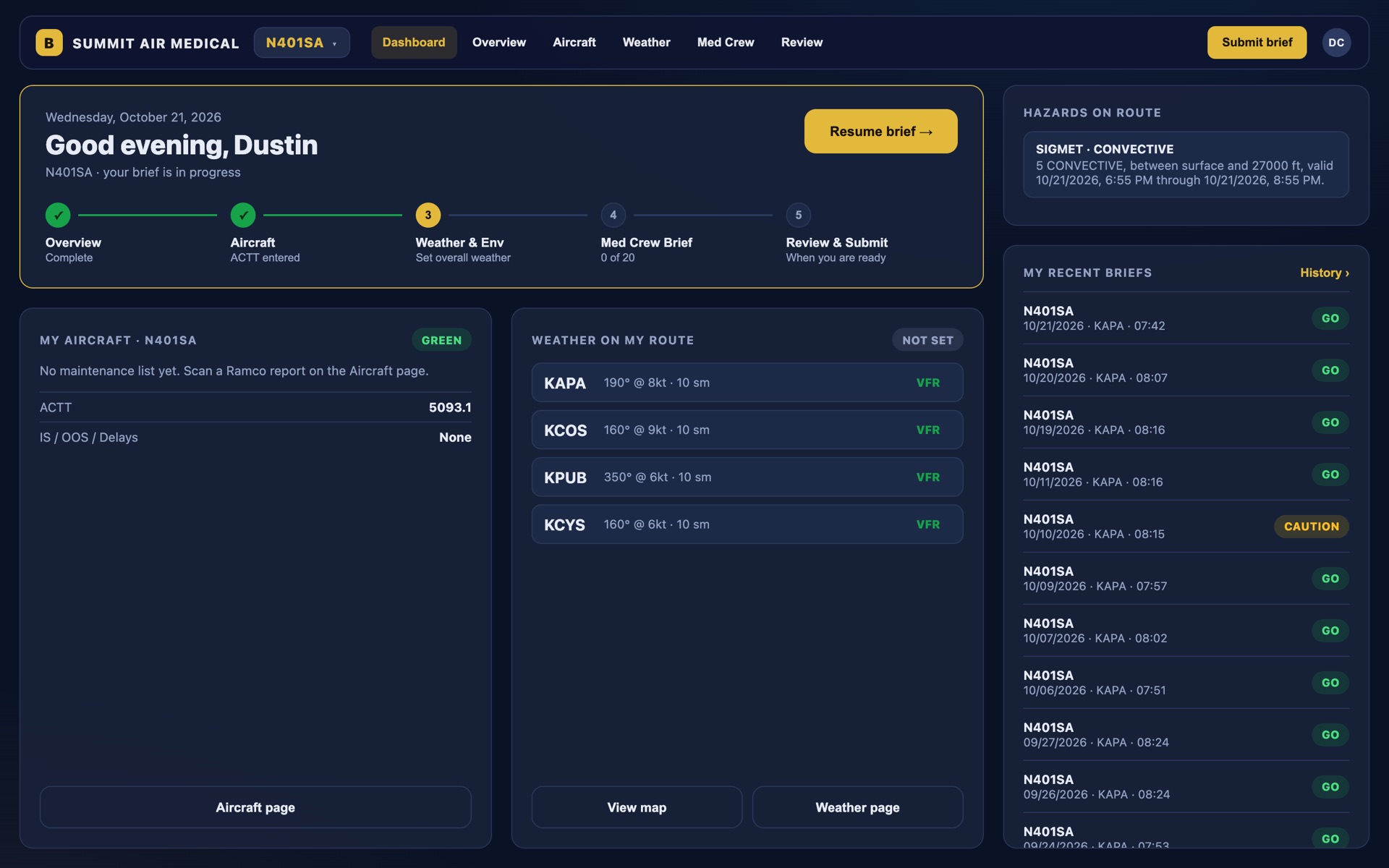
A full desktop layout with a live map, a dashboard and two-finger swipe between steps.
Aircraft status, fuel, total time, maintenance items and open notes stay with the aircraft. The oncoming pilot opens the brief and picks up exactly where the last shift left off.
Documented pre-shift briefings, a recorded shift-change handoff and a risk score for every shift, stored and ready to pull when surveyors ask. Export any period as PDF or CSV.
Its own address, people, aircraft and briefs, private to your organization. Invite-only, with roles you control.
Quick PIN sign-in on known devices, and one click to sign a person, or everyone, out of every device.
Updates arrive automatically with a one-tap refresh, on every device. Nothing to install, nothing to patch.
Any modern phone, tablet or computer. BRIEFED installs from the browser to the home screen, keeps working when the hangar signal drops, and has a full desktop layout for base computers.
Directly from official sources: METARs, TAFs, AIRMETs, SIGMETs and CWAs from the National Weather Service Aviation Weather Center, and NOTAMs and TFRs from the FAA.
It's built to support it: every shift has a documented pre-duty brief with a risk score, a recorded handoff and a searchable history you can export as PDF or CSV for a site visit.
The Admin Console shows every base's day and night shift as briefed, due or missed, with shift coverage over 7, 30 or 90 days, alerts for weather exceptions and flagged aircraft, and drill-downs to every brief.
Yes. Each pilot signs in with their password once, then uses a 4-digit PIN on that device. Admins can sign anyone out of every device at once.
A practical, base-ready checklist for the start of every shift.
How to keep records that answer a surveyor's questions in minutes.
Why handoffs fail, and how to make the aircraft's story carry over.
A 30-minute walkthrough for directors of operations, chief pilots and safety managers. Tell us a little about your program and we'll be in touch within one business day.
Share it with your leadership: download the two-page overview (PDF) →
We'll reach out within one business day to set up a time.